

World by SOBE
Your world of freedom.
A private VPN on servers we run ourselves. One tap, and the whole internet is open again: calm, fast and yours alone.
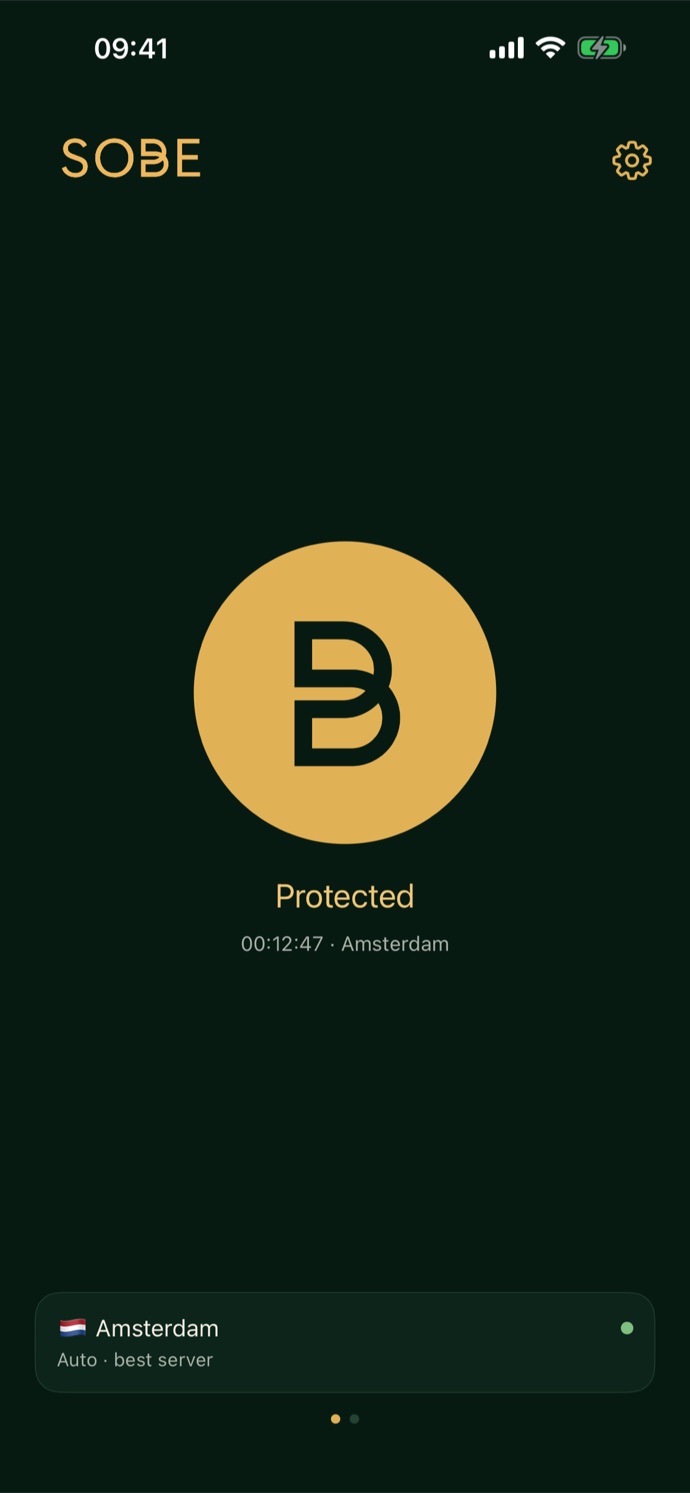
No banners, no upsells, no tracking pixels. The app is quiet and stays out of your way.
Access logs are switched off on every one of our servers. By design, not by promise.
We do not know which sites you open. There is nothing to hand over, sell or lose.
Freedom, one tap away
Made by a small company for people who value their privacy, on machines we control ourselves.
Servers we run ourselves
Amsterdam, Stockholm and Tel Aviv. We rent the bare machines and run every line of software on them ourselves. No resellers, no middlemen.
Gets through where others stall
Three protocols in one chain: AmneziaWG for speed, VLESS Reality when UDP is cut, XHTTP when long connections are throttled. Auto finds the way in seconds.
Ads and trackers blocked
One switch filters ads, trackers and malicious sites for every app on the phone, not only the browser.
Always on
A kill switch and connect-on-demand on iPhone, Always-on VPN on Android. A widget and a Quick Settings tile turn it on without opening the app.
No password to leak
Sign in with your email and a one-time code. Nothing to remember, reuse or lose in someone else's breach.
Made to be yours
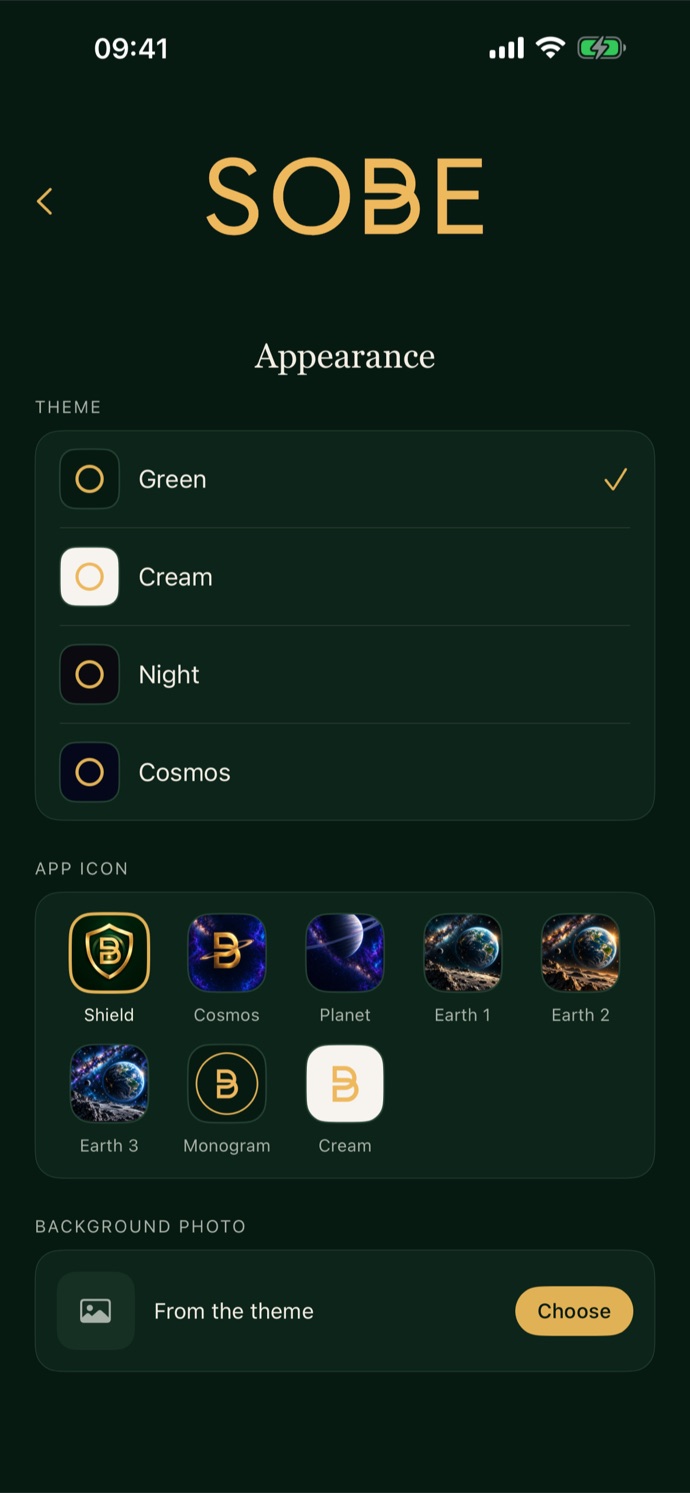
Ten themes, from deep forest green to Hawaii and the Alps, or your own photo. English, Russian and Spanish.
Security, without the small print
What protects you, in plain words.
Modern encryption
AmneziaWG is built on WireGuard: Curve25519 keys, ChaCha20-Poly1305 encryption and fresh session keys every two minutes. VLESS travels inside TLS 1.3.
Unseen by filters
Reality makes the connection look like an ordinary visit to a well-known university website. AmneziaWG hides the fingerprint that gives WireGuard away.
Nothing leaks
Every DNS lookup travels inside the encrypted tunnel, never through your provider. With the kill switch on, nothing leaves the phone outside the VPN.
Your own keys
Every account has its own keys on every server. Delete the account, and they are revoked everywhere at once.
Logs off by design
No access logs on the VPN or on the account service. The system journal lives in memory for three days at most and vanishes on restart.
No third-party code
No analytics, no advertising SDKs, no crash trackers. The only outside library on Android is Google Play Billing, for the purchase.
A European company
SOBE OÜ is registered in Estonia and bound by the GDPR. Ask us, and you get your data, a correction or a clean erase.
Leave in one tap
Delete your account in the app: your email, sessions and keys disappear from all our servers immediately.
How it works
Thirty seconds from download to freedom.
Sign in
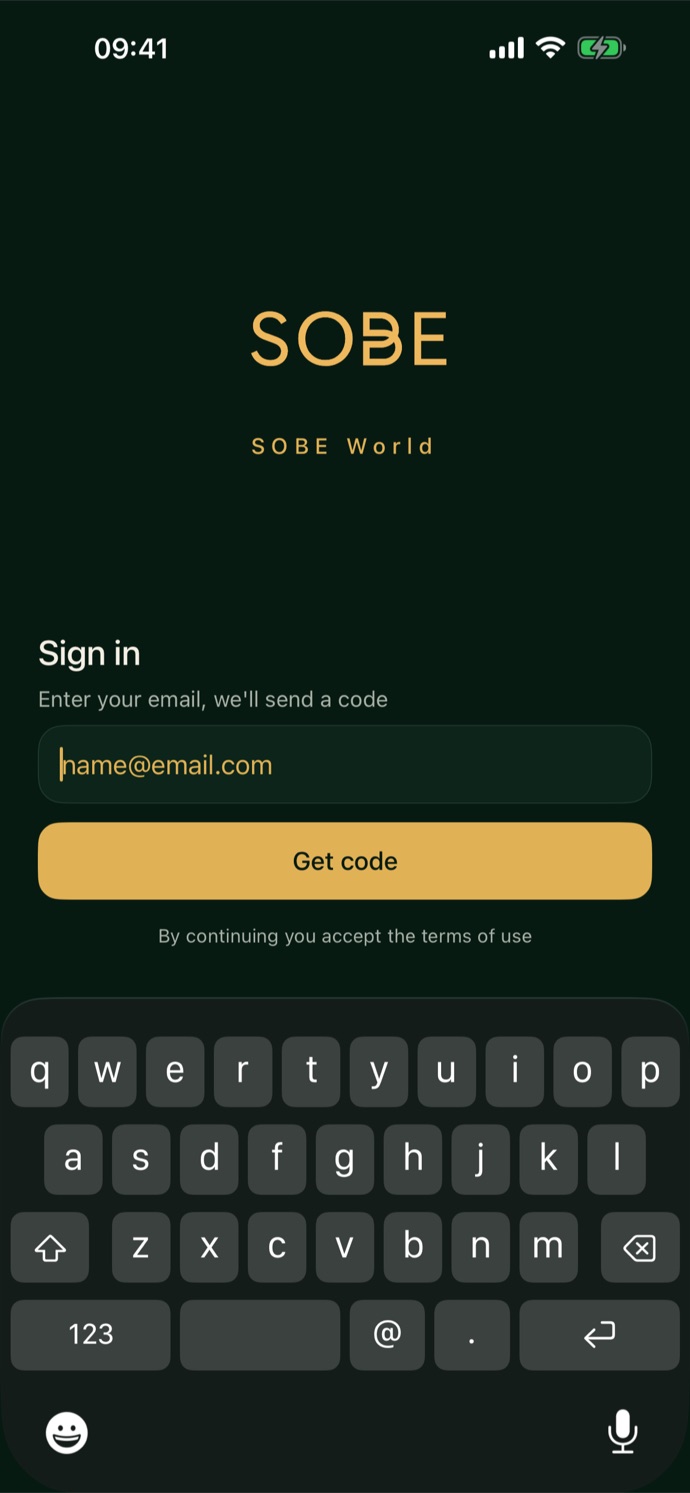
Type your email and the code we send you. That is your account, wherever you sign in.
Choose
Amsterdam, Stockholm or Tel Aviv, or simply leave it on Auto.
Tap
The big golden button. Protected in a second, and the app keeps the connection alive by itself.
Where we are
Three countries, three networks, each server with its own keys.
Screens
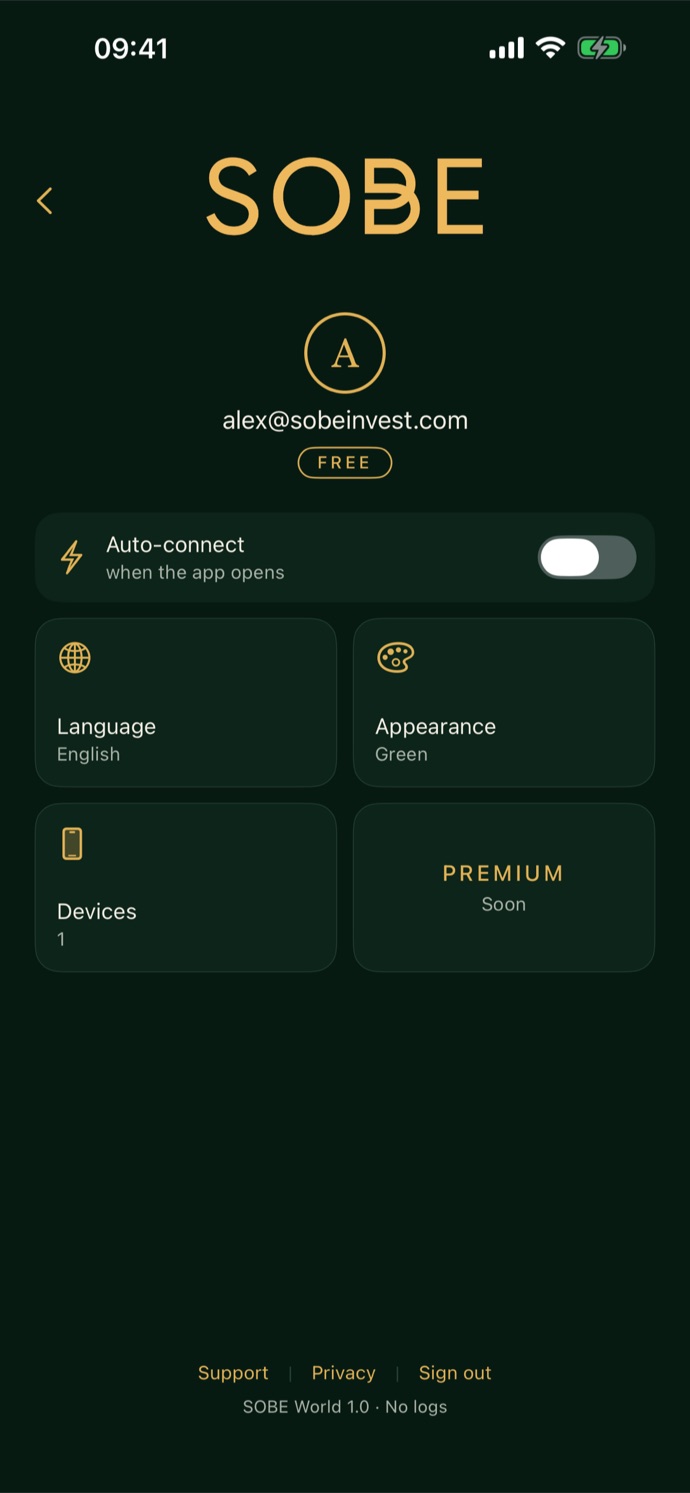
Dark, calm and quick. Swipe for settings, tap for freedom.
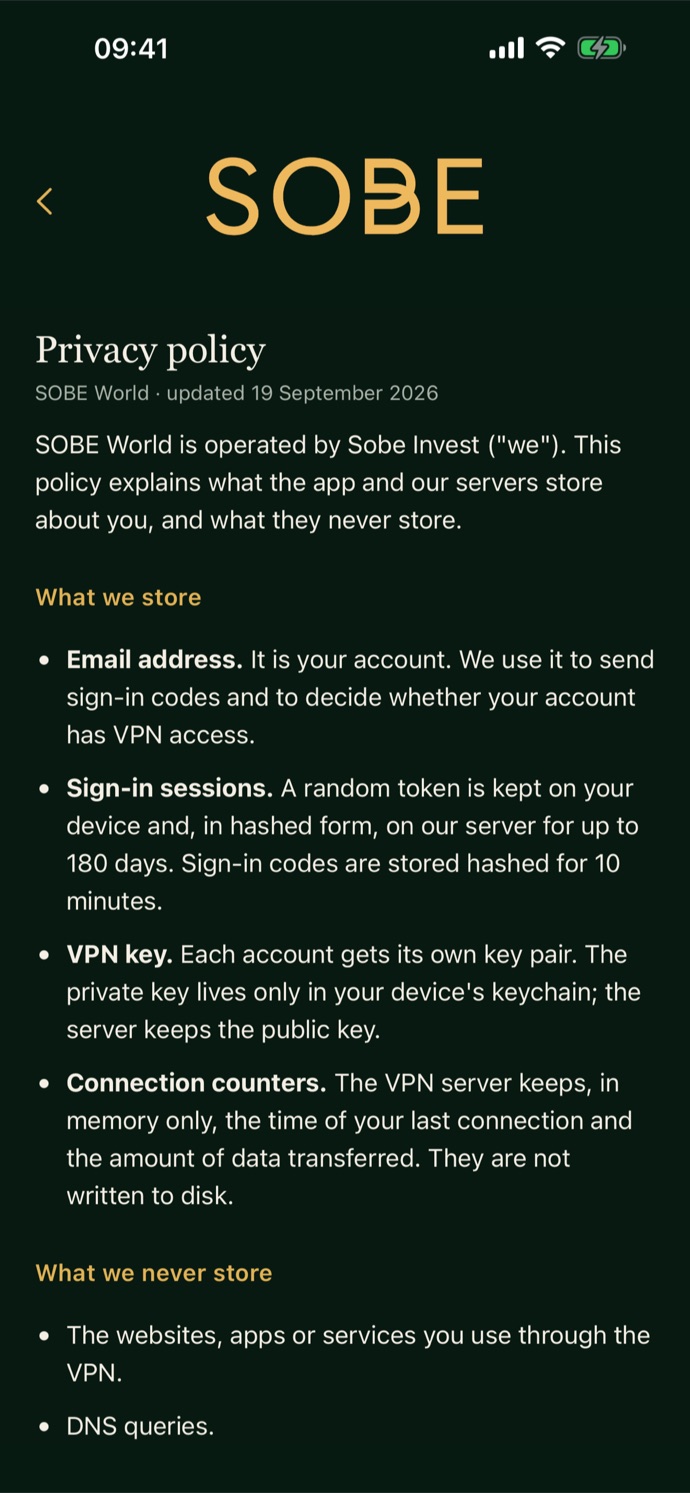
Privacy, platform by platform
The only thing we know about you is the email you sign in with. Each edition has its own policy, because Apple and Google play different parts.
iPhone and iPad
- Profile in the Keychain, protected by iOS
- No purchases in the app, nothing from Apple but the download
- Widget and Siri read the state from the device only
Android
- One purchase in Google Play, no subscription
- Profile in private app storage, left out of backups
- No payment details reach us, only Google's confirmation
Questions
Do you keep logs?
No. Access logs are off on the VPN servers and on the account service, we never store your IP address or DNS queries, and the system journal lives in memory only. The privacy policy lists every piece of data we keep, and there is very little.
Why do you need my email?
It is your account: we send the sign-in code to it and use it to give you the same account on a new device. No newsletters, no marketing, no sharing.
Will it work where VPNs are blocked?
That is what it is built for. Auto moves between three protocols until one gets through, and we can change servers and settings without an app update. No VPN can promise every network, but we test from inside restrictive ones.
How much does it cost?
On Android, one purchase in Google Play, with no subscription: the price is shown in your currency before you pay. On iPhone and iPad, see the App Store.
Can I use it on several devices?
Yes, sign in with the same email on your phone or tablet. An account is meant for one person: for now, connect one device at a time.
How do I delete my account?
Settings, then Delete account. Everything is removed from our servers at once. You can also write to world@sobeinvest.com.
Who is behind World?
SOBE OÜ (Sobe Invest), a small company in Tallinn, Estonia. We also make Currency by SOBE. Write to us any time: a person answers.
World by SOBE
Ваш мир свободы.
Приватный VPN на серверах, которыми мы управляем сами. Одно касание, и весь интернет снова открыт: спокойно, быстро и только для вас.
Ни баннеров, ни навязчивых предложений, ни следящих пикселей. Приложение тихое и не мешает.
Журналы доступа выключены на каждом нашем сервере. Так устроено, а не просто обещано.
Мы не знаем, какие сайты вы открываете. Нечего передать, продать или потерять.
Свобода в одно касание
Сделано небольшой компанией для тех, кому важна приватность, на машинах, которыми мы управляем сами.
Собственные серверы
Амстердам, Стокгольм и Тель-Авив. Мы арендуем голые машины и сами запускаем на них каждую строчку программ. Без перепродавцов и посредников.
Проходит там, где другие застревают
Три протокола в одной цепочке: AmneziaWG для скорости, VLESS Reality, когда режут UDP, XHTTP, когда душат длинные соединения. Auto находит путь за секунды.
Реклама и трекеры заблокированы
Один переключатель отсекает рекламу, трекеры и опасные сайты во всех приложениях телефона, а не только в браузере.
Всегда включён
Kill switch и автоподключение на iPhone, постоянный VPN на Android. Виджет и плитка в быстрых настройках включают его, не открывая приложение.
Нет пароля, который утечёт
Вход по email и одноразовому коду. Нечего запоминать, повторять и терять в чужих утечках.
Сделано под вас
Десять тем, от глубокого лесного зелёного до Гавайев и Альп, или ваше фото. Русский, английский и испанский.
Безопасность без мелкого шрифта
Что вас защищает, простыми словами.
Современное шифрование
AmneziaWG построен на WireGuard: ключи Curve25519, шифрование ChaCha20-Poly1305 и новые сеансовые ключи каждые две минуты. VLESS идёт внутри TLS 1.3.
Незаметен для фильтров
Reality делает соединение похожим на обычный заход на сайт известного университета. AmneziaWG прячет отпечаток, по которому узнают WireGuard.
Ничего не утекает
Все DNS-запросы идут внутри зашифрованного туннеля, а не через провайдера. С kill switch ничто не уходит с телефона мимо VPN.
Свои ключи
У каждого аккаунта свои ключи на каждом сервере. Удалите аккаунт, и они отзываются везде сразу.
Логи выключены изначально
Никаких журналов доступа ни на VPN, ни в сервисе аккаунтов. Системный журнал живёт в памяти не больше трёх дней и исчезает при перезагрузке.
Никакого чужого кода
Ни аналитики, ни рекламных SDK, ни сборщиков сбоев. Единственная внешняя библиотека на Android — Google Play Billing, для покупки.
Европейская компания
SOBE OÜ зарегистрирована в Эстонии и работает по GDPR. Попросите, и вы получите свои данные, исправление или полное удаление.
Уйти в одно касание
Удалите аккаунт в приложении: email, сессии и ключи сразу исчезают со всех наших серверов.
Как это работает
Тридцать секунд от загрузки до свободы.
Войдите
Введите email и код, который мы пришлём. Это ваш аккаунт, где бы вы ни вошли.
Выберите
Амстердам, Стокгольм или Тель-Авив, или просто оставьте Auto.
Нажмите
Большую золотую кнопку. Защита за секунду, а соединение приложение держит само.
Где мы
Три страны, три сети, у каждого сервера свои ключи.
Экраны
Тёмный, спокойный и быстрый. Свайп — настройки, касание — свобода.
Приватность на каждой платформе
Единственное, что мы о вас знаем, — email, с которым вы входите. У каждой версии своя политика: Apple и Google участвуют по-разному.
iPhone и iPad
- Профиль в связке ключей, под защитой iOS
- Никаких покупок в приложении, от Apple только загрузка
- Виджет и Siri берут состояние только с устройства
Android
- Одна покупка в Google Play, без подписки
- Профиль в закрытом хранилище, не попадает в резервные копии
- Платёжные данные к нам не попадают, только подтверждение Google
Вопросы
Вы ведёте логи?
Нет. Журналы доступа выключены на VPN-серверах и в сервисе аккаунтов, мы никогда не храним ваш IP-адрес и DNS-запросы, а системный журнал живёт только в памяти. В политике конфиденциальности перечислено всё, что мы храним, и это очень мало.
Зачем вам мой email?
Это ваш аккаунт: на него приходит код входа, и по нему вы получаете тот же аккаунт на новом устройстве. Никаких рассылок, маркетинга и передачи третьим лицам.
Будет ли работать там, где блокируют VPN?
Именно для этого он и сделан. Auto переключает три протокола, пока один не пройдёт, а серверы и настройки мы меняем без обновления приложения. Ни один VPN не обещает любую сеть, но мы проверяем изнутри жёстких сетей.
Сколько это стоит?
На Android — одна покупка в Google Play, без подписки: цена показана в вашей валюте до оплаты. На iPhone и iPad — смотрите в App Store.
Можно на нескольких устройствах?
Да, войдите с тем же email на телефоне или планшете. Аккаунт рассчитан на одного человека: пока подключайте одно устройство за раз.
Как удалить аккаунт?
Настройки → «Удалить аккаунт». Всё сразу удаляется с наших серверов. Можно также написать на world@sobeinvest.com.
Кто стоит за World?
SOBE OÜ (Sobe Invest), небольшая компания из Таллина, Эстония. Мы же делаем Currency by SOBE. Пишите в любое время: отвечает человек.
World by SOBE
Tu mundo de libertad.
Una VPN privada en servidores que gestionamos nosotros mismos. Un toque, y todo internet vuelve a estar abierto: tranquilo, rápido y solo tuyo.
Sin banners, sin ventas insistentes, sin píxeles de seguimiento. La app es discreta y no molesta.
Los registros de acceso están apagados en cada uno de nuestros servidores. Por diseño, no por promesa.
No sabemos qué sitios abres. No hay nada que entregar, vender ni perder.
La libertad, a un toque
Hecha por una pequeña empresa para quienes valoran su privacidad, en máquinas que controlamos nosotros.
Servidores propios
Ámsterdam, Estocolmo y Tel Aviv. Alquilamos las máquinas desnudas y ejecutamos nosotros cada línea de software. Sin revendedores ni intermediarios.
Pasa donde otras se atascan
Tres protocolos en una cadena: AmneziaWG para la velocidad, VLESS Reality cuando cortan UDP, XHTTP cuando frenan las conexiones largas. Auto encuentra el camino en segundos.
Anuncios y rastreadores bloqueados
Un interruptor filtra anuncios, rastreadores y sitios maliciosos en todas las apps del teléfono, no solo en el navegador.
Siempre activa
Kill switch y conexión automática en iPhone, VPN siempre activa en Android. Un widget y un mosaico de Ajustes rápidos la encienden sin abrir la app.
Sin contraseña que filtrar
Entra con tu email y un código de un solo uso. Nada que recordar, repetir o perder en la filtración de otros.
Hecha a tu medida
Diez temas, del verde bosque profundo a Hawái y los Alpes, o tu propia foto. Inglés, ruso y español.
Seguridad, sin letra pequeña
Lo que te protege, en palabras sencillas.
Cifrado moderno
AmneziaWG se basa en WireGuard: claves Curve25519, cifrado ChaCha20-Poly1305 y nuevas claves de sesión cada dos minutos. VLESS viaja dentro de TLS 1.3.
Invisible para los filtros
Reality hace que la conexión parezca una visita normal a la web de una universidad conocida. AmneziaWG oculta la huella por la que se reconoce WireGuard.
Nada se escapa
Cada consulta DNS viaja dentro del túnel cifrado, nunca a través de tu operador. Con el kill switch, nada sale del teléfono fuera de la VPN.
Tus propias claves
Cada cuenta tiene sus propias claves en cada servidor. Elimina la cuenta y se revocan en todas partes a la vez.
Registros apagados por diseño
Ningún registro de acceso en la VPN ni en el servicio de cuentas. El registro del sistema vive en memoria tres días como máximo y desaparece al reiniciar.
Sin código de terceros
Sin analítica, sin SDK publicitarios, sin rastreadores de fallos. La única biblioteca externa en Android es Google Play Billing, para la compra.
Una empresa europea
SOBE OÜ está registrada en Estonia y sujeta al RGPD. Pídenoslo y tendrás tus datos, una corrección o un borrado completo.
Irte en un toque
Elimina tu cuenta en la app: tu email, sesiones y claves desaparecen al instante de todos nuestros servidores.
Cómo funciona
Treinta segundos de la descarga a la libertad.
Entra
Escribe tu email y el código que te enviamos. Esa es tu cuenta, entres donde entres.
Elige
Ámsterdam, Estocolmo o Tel Aviv, o simplemente déjalo en Auto.
Toca
El gran botón dorado. Protegido en un segundo, y la app mantiene la conexión por sí sola.
Dónde estamos
Tres países, tres redes, cada servidor con sus propias claves.
Pantallas
Oscura, tranquila y rápida. Desliza para los ajustes, toca para la libertad.
Privacidad, plataforma por plataforma
Lo único que sabemos de ti es el email con el que entras. Cada versión tiene su propia política, porque Apple y Google intervienen de forma distinta.
iPhone y iPad
- Perfil en el llavero, protegido por iOS
- Sin compras en la app, de Apple solo la descarga
- Widget y Siri leen el estado solo del dispositivo
Android
- Una compra en Google Play, sin suscripción
- Perfil en almacenamiento privado, fuera de las copias de seguridad
- Ningún dato de pago nos llega, solo la confirmación de Google
Preguntas
¿Guardáis registros?
No. Los registros de acceso están apagados en los servidores VPN y en el servicio de cuentas, nunca guardamos tu IP ni tus consultas DNS, y el registro del sistema vive solo en memoria. La política de privacidad enumera cada dato que guardamos, y son muy pocos.
¿Para qué necesitáis mi email?
Es tu cuenta: te enviamos a él el código de acceso y con él tienes la misma cuenta en un dispositivo nuevo. Sin boletines, sin marketing, sin compartirlo.
¿Funciona donde bloquean las VPN?
Para eso está hecha. Auto alterna tres protocolos hasta que uno pasa, y podemos cambiar servidores y ajustes sin actualizar la app. Ninguna VPN puede prometer todas las redes, pero probamos desde dentro de las más restrictivas.
¿Cuánto cuesta?
En Android, una sola compra en Google Play, sin suscripción: el precio se muestra en tu moneda antes de pagar. En iPhone y iPad, consulta el App Store.
¿Puedo usarla en varios dispositivos?
Sí, entra con el mismo email en tu teléfono o tu tableta. Una cuenta es para una persona: por ahora, conecta un dispositivo a la vez.
¿Cómo elimino mi cuenta?
Ajustes → «Eliminar cuenta». Todo se borra de nuestros servidores al instante. También puedes escribir a world@sobeinvest.com.
¿Quién está detrás de World?
SOBE OÜ (Sobe Invest), una pequeña empresa de Tallin, Estonia. También hacemos Currency by SOBE. Escríbenos cuando quieras: responde una persona.